
How to Enable Malayalam Inscript Keyboard in Windows (11, 10, 7)
Windows allows you to type directly in Malayalam using the official Inscript keyboard. You just need to install the Malayalam language pack and enable the keyboard from system settings.
If you want easy typing, you can also use our Malayalam Typing Tool or learn key mapping from the Malayalam Keyboard Layout.
What is Malayalam Inscript Keyboard?
Malayalam Inscript is a standard keyboard layout used for typing Indian languages. It is widely used in exams, government work, and professional typing because of its accuracy and speed.
- Government standard keyboard layout
- Supports Unicode typing
- Used in exams and official work
- Faster typing after practice
How to Enable Malayalam Inscript Keyboard in Windows 11
Step 1: Go to Settings → Time & Language → Language & Region
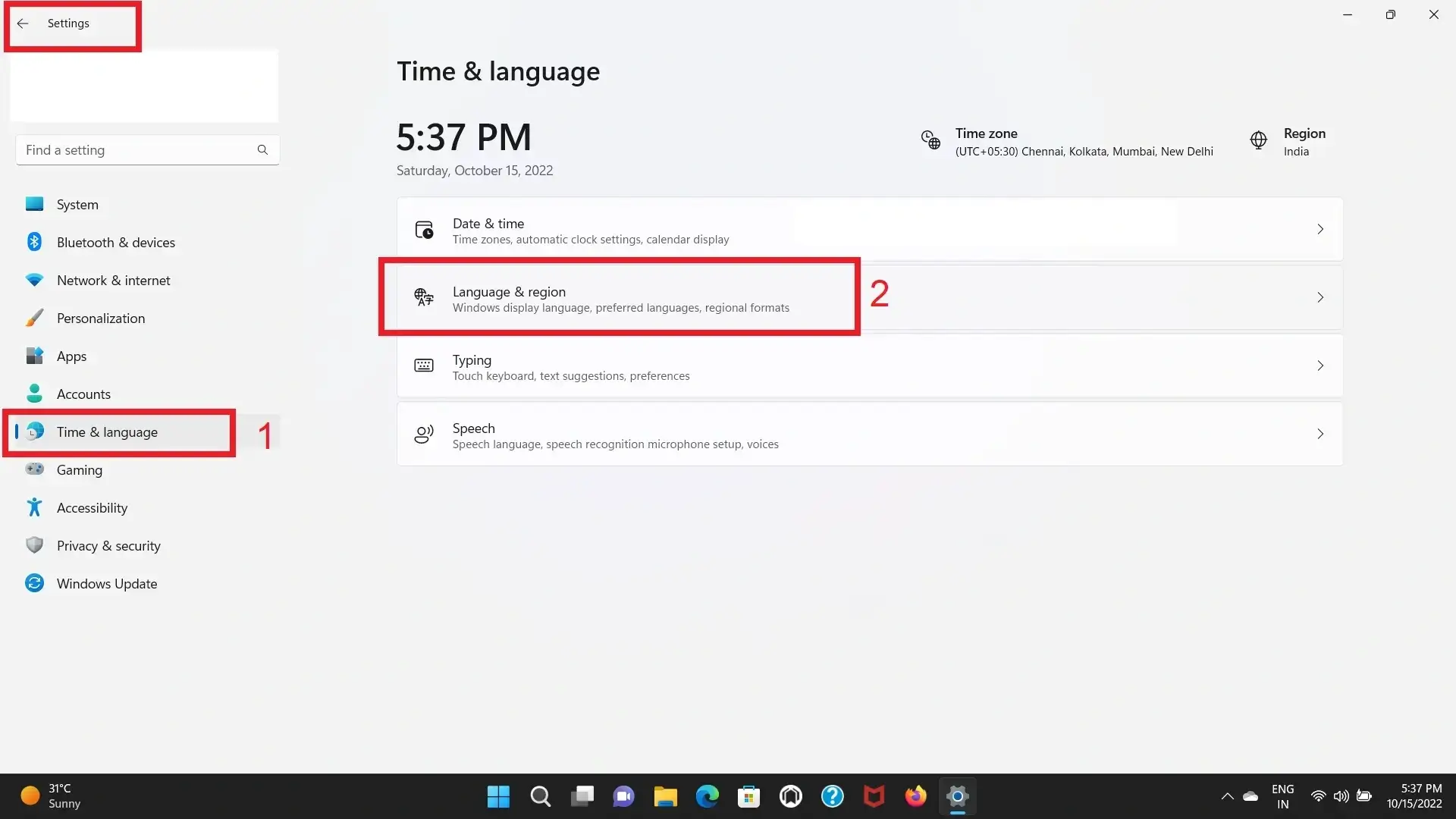
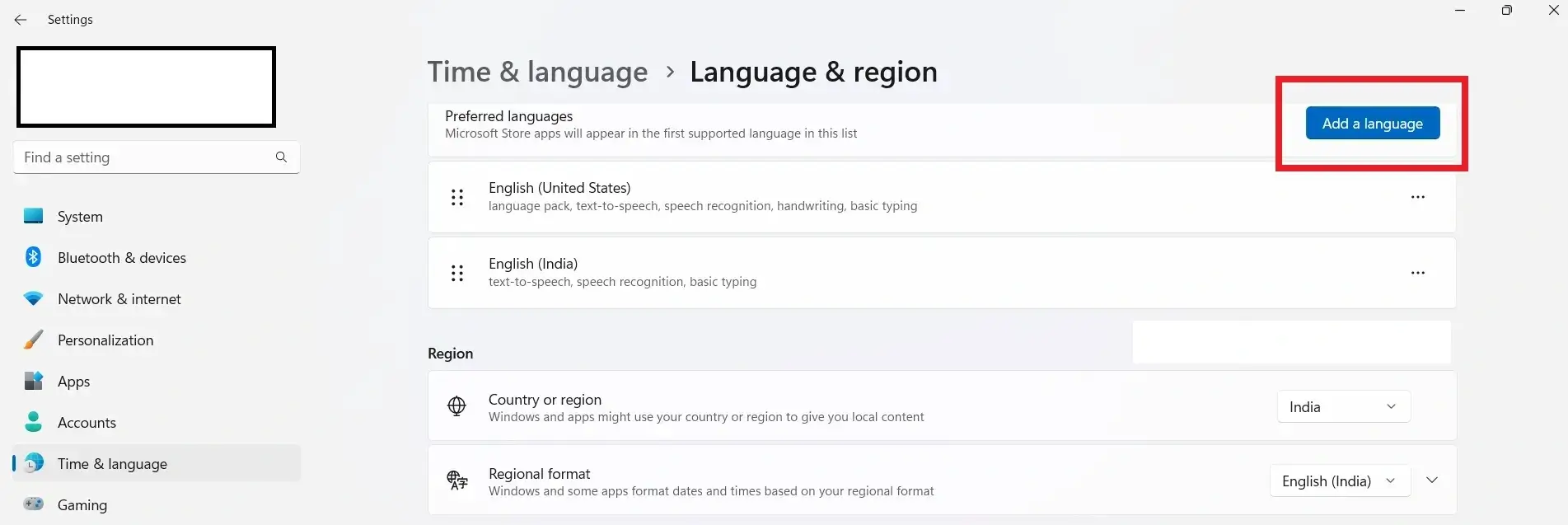
Step 2: Click on Add a language
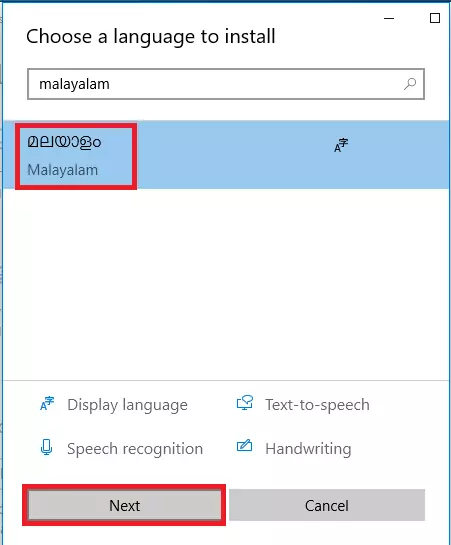
Step 3: Search Malayalam (മലയാളം) → Click Next → Install
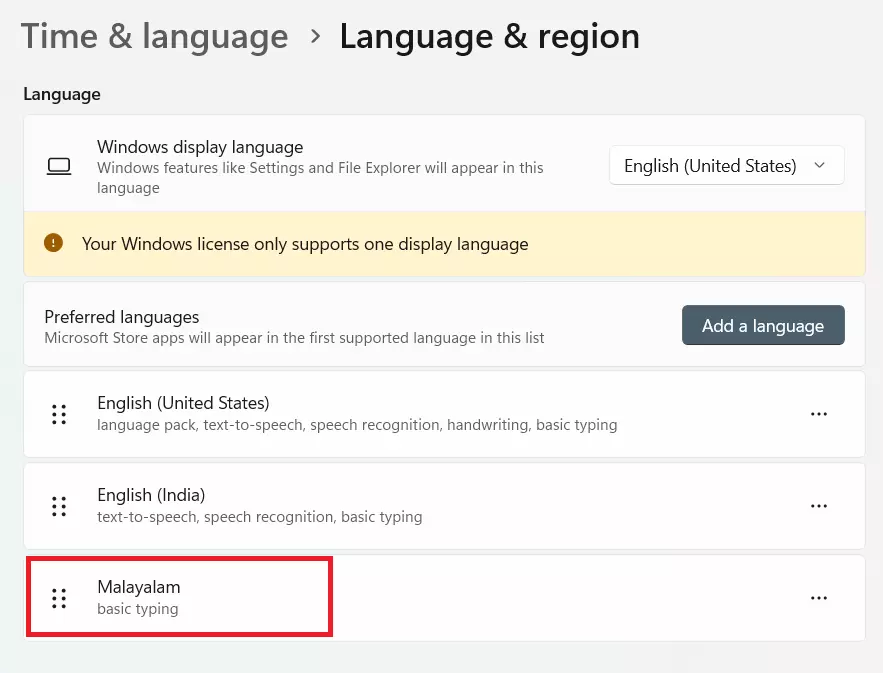
Step 4: Malayalam will appear in preferred languages
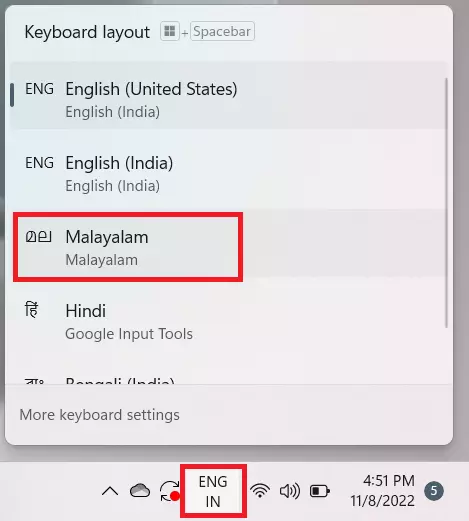
Step 5: Select Malayalam Inscript keyboard from taskbar
How to Enable Malayalam Inscript Keyboard in Windows 10
Step 1: Go to Settings → Time & Language → Language
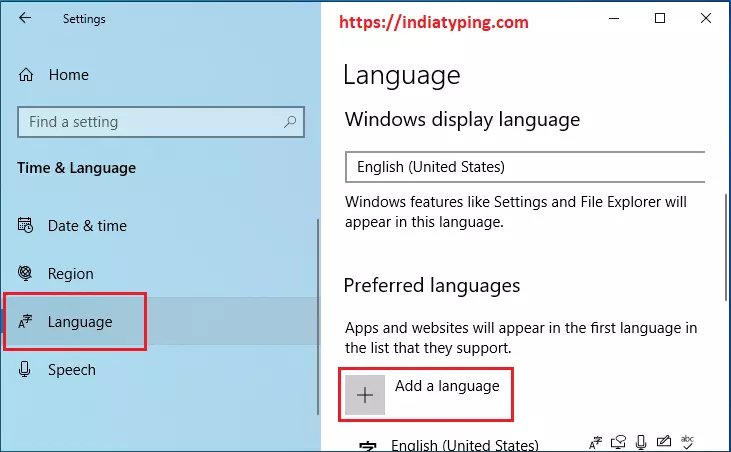
Step 2: Click Add a language and search Malayalam
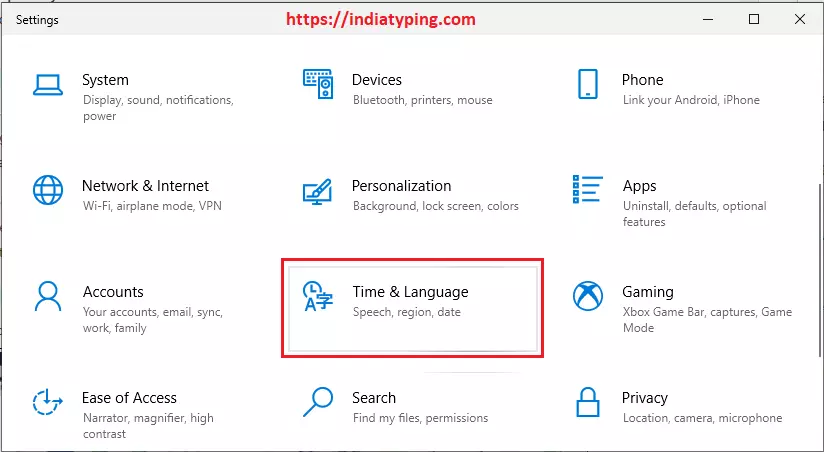
Step 3: Install Malayalam language pack
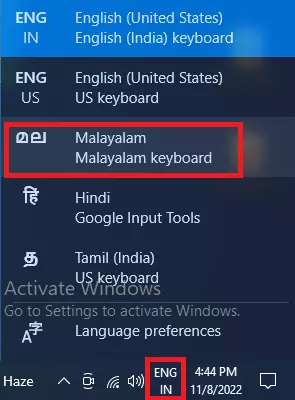
Step 4: Enable Inscript keyboard from taskbar
How to Enable Malayalam Keyboard in Windows 7 / 8
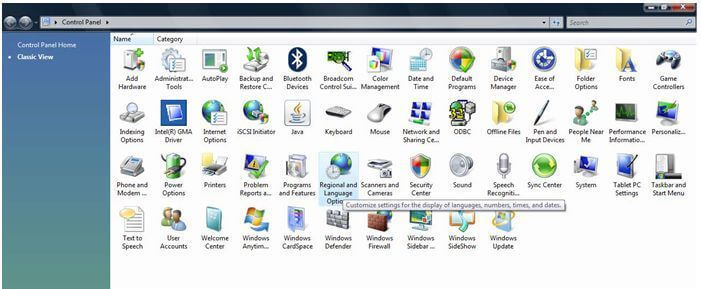
Step 1: Open Control Panel → Regional and Language Options
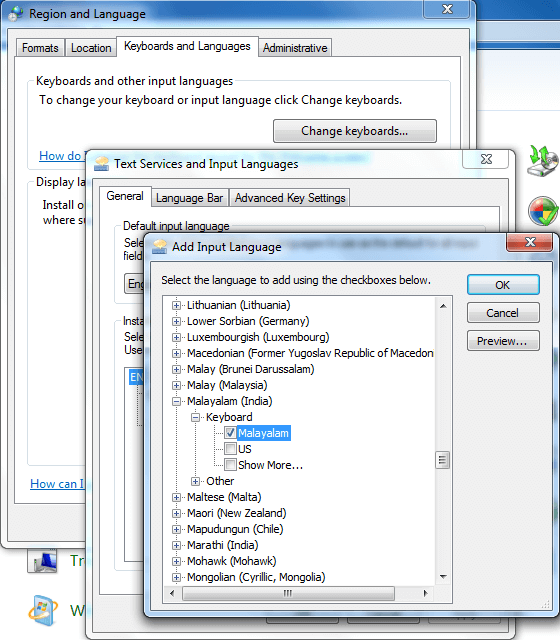
Step 2: Click Change Keyboards → Add → Select Malayalam
Enable Malayalam Inscript Keyboard in Windows XP
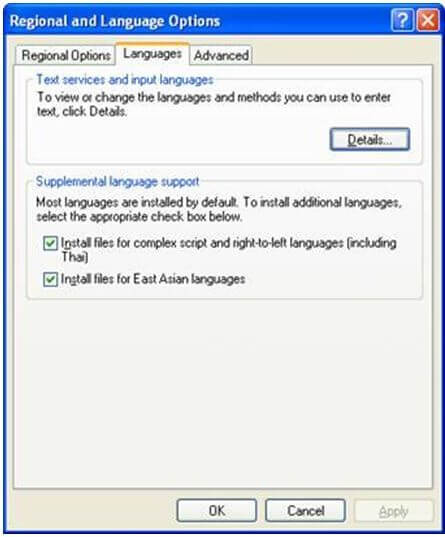
Step 1: Go to Control Panel → Regional and Language Options → Languages tab
Step 2: Enable complex script support and restart system
How to Use Malayalam Inscript Keyboard
- Press Alt + Shift or Win + Space to switch language
- Select Malayalam keyboard from taskbar
- Use Inscript layout for typing
- Practice regularly for faster typing
To practice typing, try our Malayalam Typing Tool or check the Keyboard Layout Guide.
FAQs
How to enable Malayalam keyboard in Windows 11?
Go to Settings → Time & Language → Add Malayalam → Install → Select keyboard.
What is Malayalam Inscript Keyboard?
It is a standard keyboard layout used for typing Indian languages efficiently.
How to switch between languages?
Press Alt + Shift or Win + Space to switch keyboard.
Is Inscript better than phonetic typing?
Yes, it is better for fast and professional typing after practice.
Start Typing in Malayalam
Learn the keyboard layout to improve your typing speed.
View Keyboard Layout